Views
Goal
Replace default views, add object actions, register bulk list actions, and opt
models into site-wide search. Four tutorial apps each ship a single djcrud.py
— no extra modules:
views_example— clonedListViewonArticleaction_example— object form action onMemolistaction_example— bulk action onPostsearch_example—add_search()opt-in onPage
ListView customization
ListView is the view djcrud invests in by default
— search, filter, tables2, pagination, and list actions. Clone it to set table
columns, filter fields, and page size:
import djcrud

from .models import Article


class ArticleRouter(djcrud.ModelRouter):
    model = Article
    icon = "newspaper"

    routes = djcrud.ModelRouter.routes + [
        djcrud.views.ListView.clone(
            table_fields=["title", "category"],
            filter_fields=["category"],
            paginate_by=5,
        ),
    ]


djcrud.site.routes.append(ArticleRouter)
No add_perm here — default Django permissions apply (superuser passes).
Log in as su / su (see Routing). Permission rules are covered in
Permissions and the security_example app.
Visit http://localhost:8000/article/.
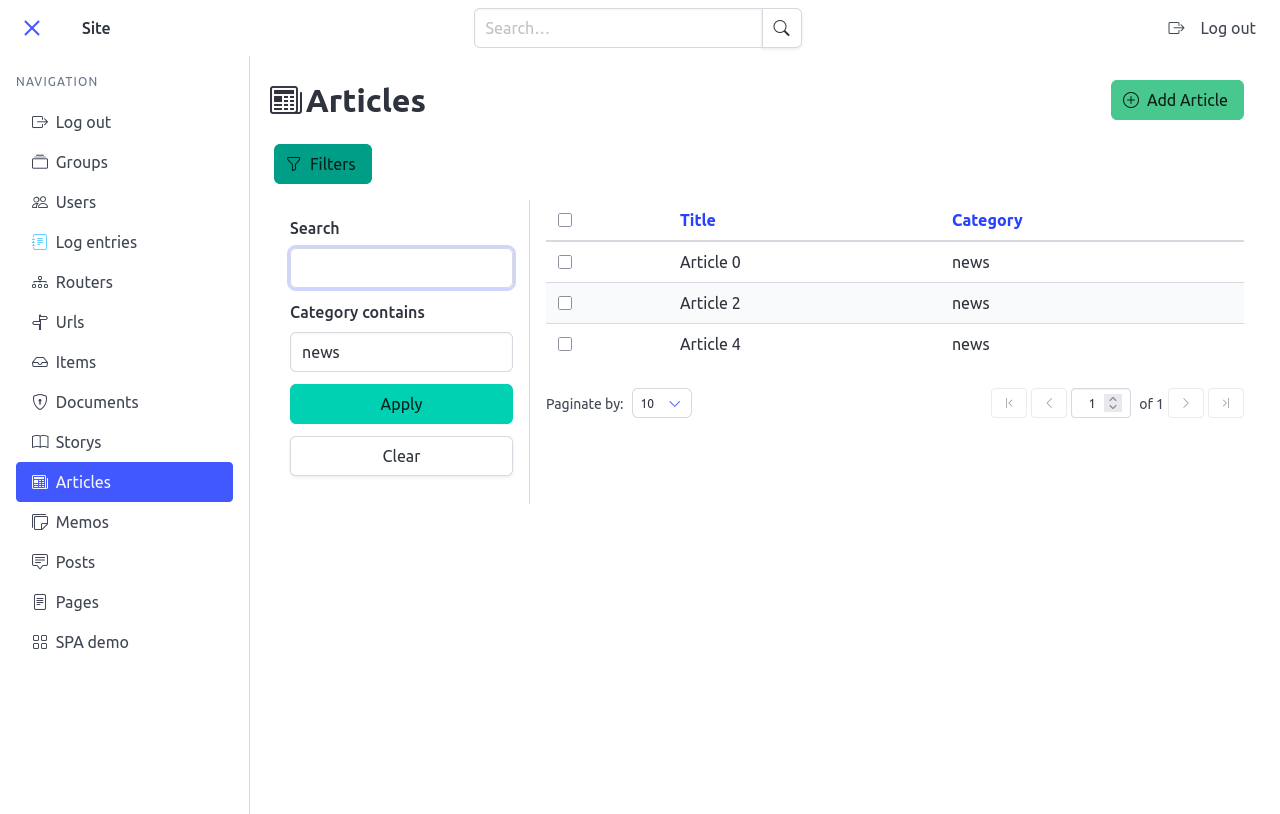
Cloned list view with custom columns, filter fields, and page size.
Object action
Custom routes are not limited to CRUD. action_example appends a
Duplicate ObjectFormView that opens a
confirmation modal from the object menu and calls form_valid — no
add_perm here (default superuser access, same as the list view above):
import djcrud

from .models import Memo


class DuplicateView(djcrud.views.ObjectFormView):
    title = "Duplicate"
    icon = "copy"
    color = "info"

    def form_valid(self, form):
        Memo.objects.create(title=f"{self.object.title} (copy)")
        return super().form_valid(form)


class MemoRouter(djcrud.ModelRouter):
    model = Memo
    icon = "stickies"

    routes = djcrud.ModelRouter.routes + [DuplicateView]


djcrud.site.routes.append(MemoRouter)
Try it on a memo at http://localhost:8000/memo/<pk>/.
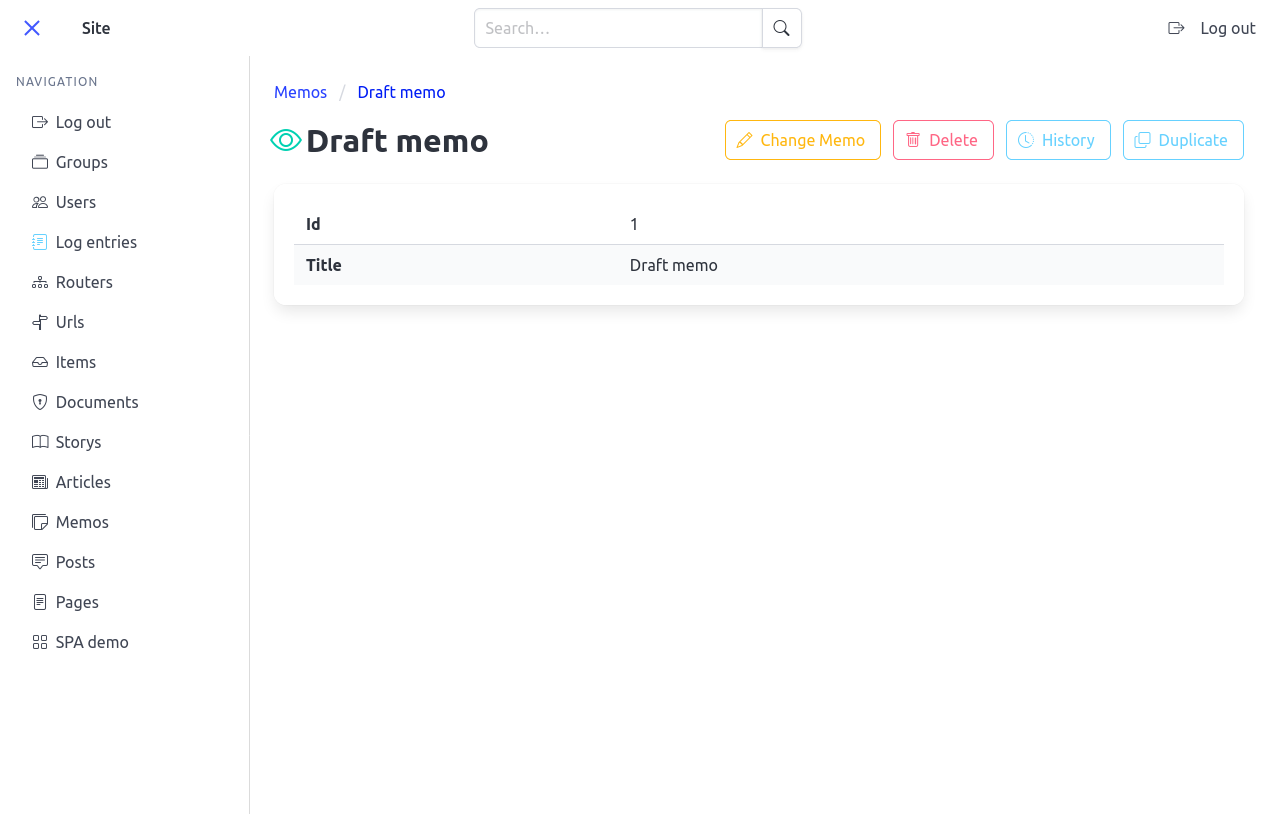
Detail object menu with a custom object action.
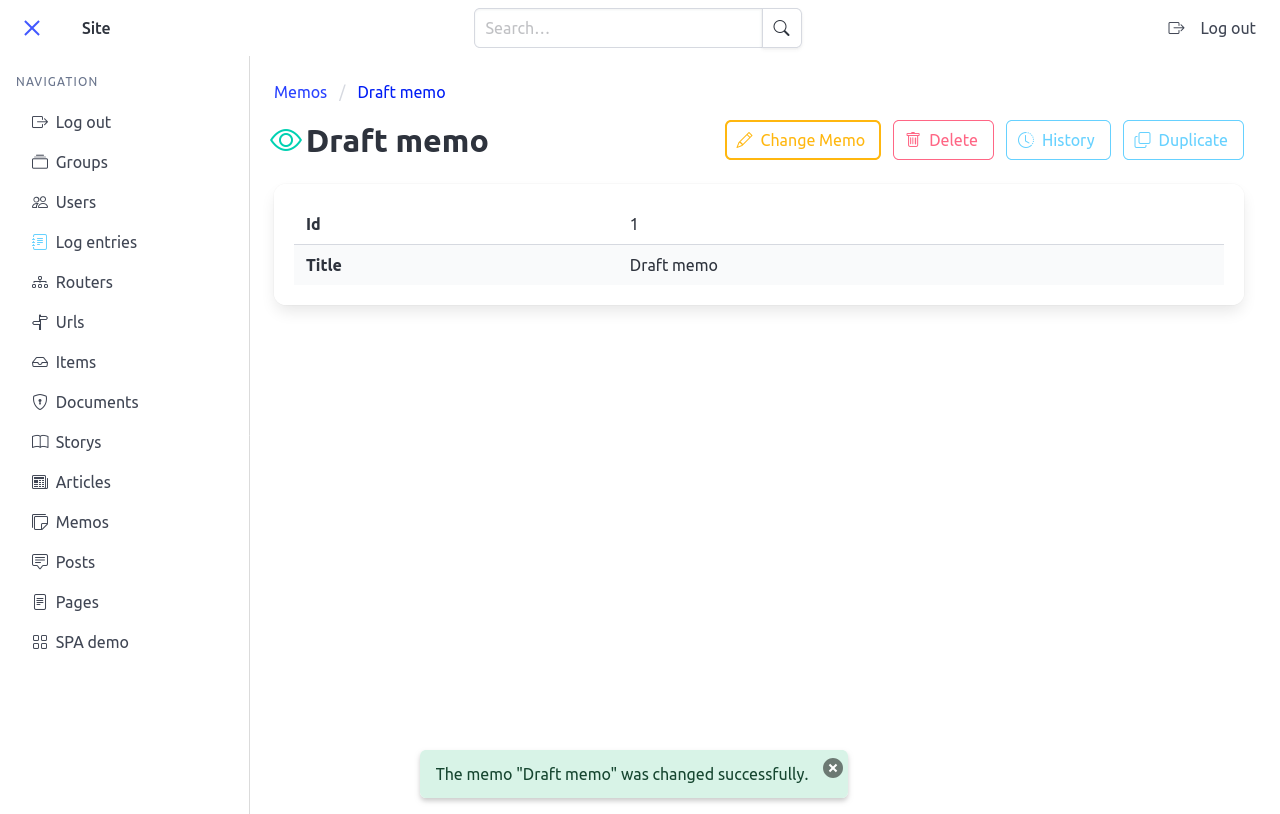
After confirming, a success toast is shown.
State-based object actions gated by add_perm are covered in Permissions.
List action
Bulk actions follow the same pattern as built-in bulk delete (see Routing).
On Post, subclass ListActionView, tag it
list_action, and append it to the router routes:
from django import forms

import djcrud

from .models import Post


class SetCategoryForm(forms.Form):
    category = forms.CharField(max_length=50, label="Category")


class SetCategoryView(djcrud.views.ListActionView):
    permission_shortcode = "change"
    title = "Set category"
    icon = "tag"
    color = "info"
    message = "Choose a category for the selected posts."
    form_class = SetCategoryForm

    def form_valid(self, form):
        self.object_list.update(category=form.cleaned_data["category"])
        return super().form_valid(form)


class PostRouter(djcrud.ModelRouter):
    model = Post
    icon = "chat-square-text"

    routes = djcrud.ModelRouter.routes + [
        SetCategoryView,
    ]


djcrud.site.routes.append(PostRouter)
Try it at http://localhost:8000/post/ — create a few posts, select rows, and click Set category:
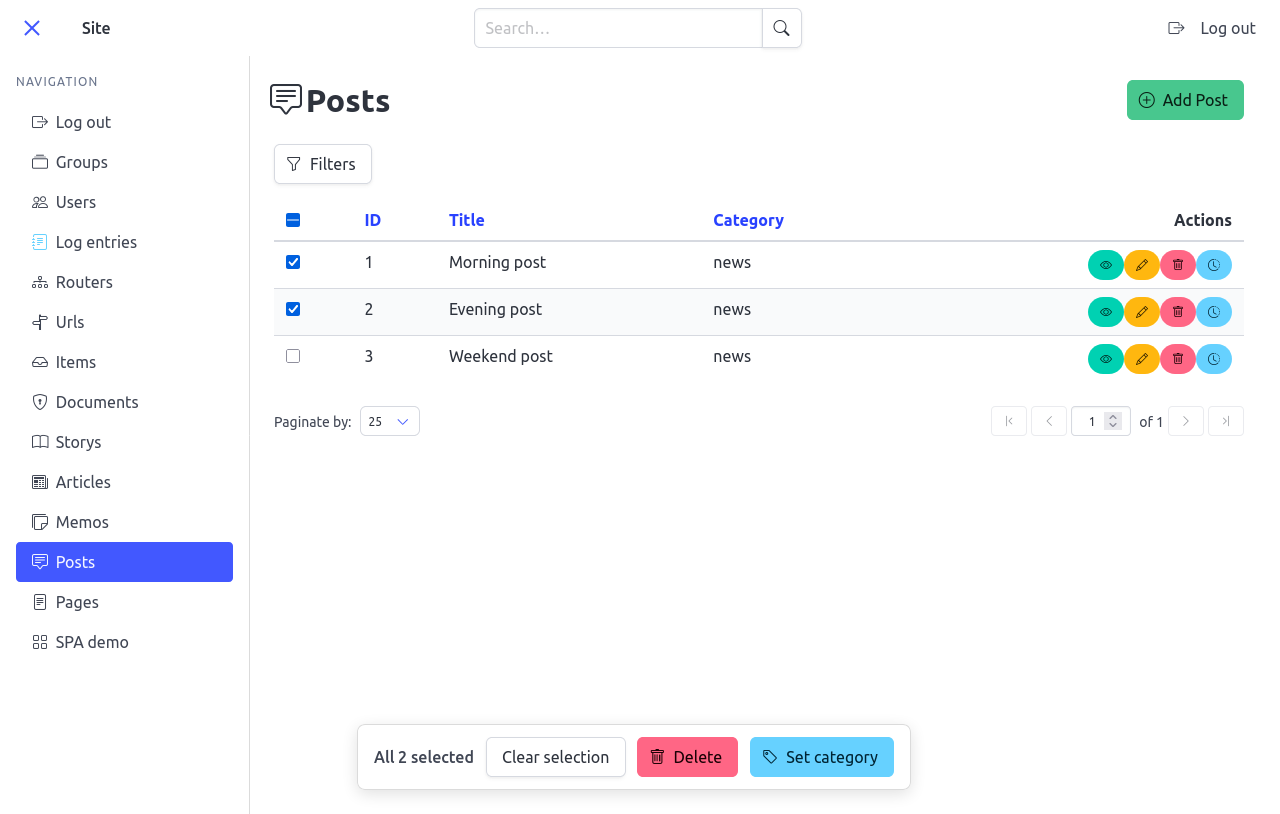
Selected rows open the floating <list-action-bar> with permitted bulk
actions. When list actions are gated per object, only rows the user may
act on get checkboxes, and the bar dynamically shows only the actions
allowed for the entire current selection.
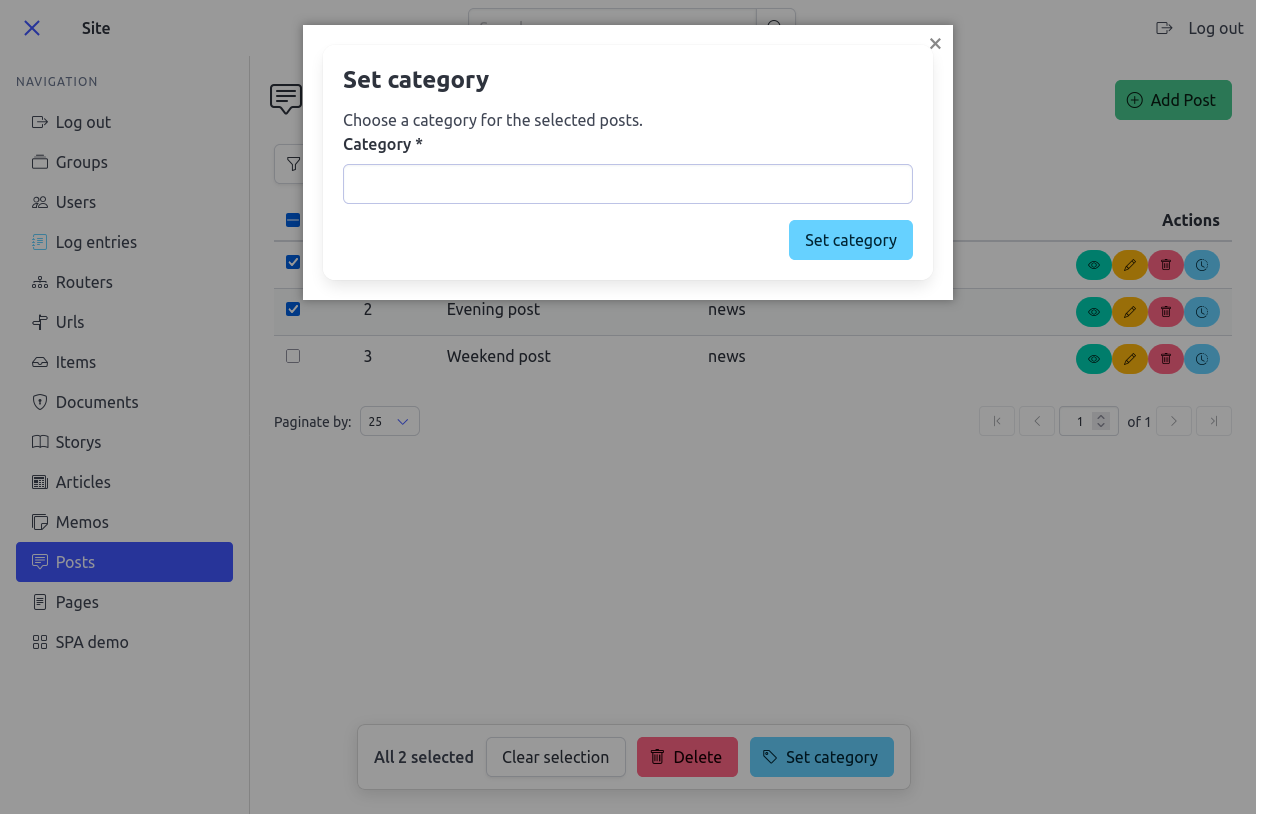
Custom SetCategoryView — same pattern as the built-in bulk
delete shown in Routing.
Site search
With djcrud_dal_topbar installed (see Enable site search), opt a model
into navbar search and the results page at /search/?q=…. search_example
registers its own Page model:
import djcrud

from .models import Page


class PageRouter(djcrud.ModelRouter):
    model = Page
    icon = "file-text"


djcrud.search.add_search(Page)
djcrud.site.routes.append(PageRouter)
Try it at http://localhost:8000/page/ after creating a few pages, then search from the navbar.
Mixin survey
djcrud builds each generic view from mixins — small classes that add one
concern (filtering, pagination, tables, forms, …). Override mixin
attributes on a cloned view or subclass; templates read them from the
view object in context.
See View mixins for every mixin and overridable attribute. Generic views that combine them are listed under Generic views.
For screenshots of list, filter, pagination, object-menu, and list-action mixins in action, see the sections above.
- List display
ListMixin—default_template_name,tags,permission_shortcode,empty_list_messageSearchMixin—search_param,search_fieldsFilterMixin—filter_fields,filter_form_class,filter_targetPaginationMixin—paginate_by,per_page_options,page_kwarg,per_page_kwarg,pagination_targetPagination is made stable by default: unordered querysets receive
order_by("pk")(seePaginationMixin). DefineMeta.orderingon your models for predictable sort order.- Forms and objects
FormMixin—default_template_name,form_attributesObjectMixin— object detail URLs and breadcrumbs (see ObjectMixin)ModelFormMixin— model forms for create/update- List actions and permissions
ListActionMixin— bulk actions from the list action bar (see List action above). Per-row permissions are reflected both in checkbox visibility (CheckboxColumn) and in the dynamic filtering of buttons inside<list-action-bar>viadata-list-actions/data-codenameattributes.ActionMixin— per-object permission checks on delete/update and custom object actions- Templates and model binding
TemplateViewMixin—default_template_nameviadefault_template_nameon concrete viewsModelMixin— resolvesmodelfrom the enclosingModelRouterLogMixin— audit logging whendjcrud_historyis installed- Further topics
Optional packages (history, debug, auth) are described in Install djcrud.
Menus and tags — tag views with
navigation,object, orlist_action. Userouter.get_tagged_views('object', request=request, object=obj)in templates. Pin a view in a menu withposition(0first,-1last):tags = djcrud.tags.NAVIGATION(position=0) tags = djcrud.tags.NAVIGATION(position=-1)
Custom tags are strings (
tags = "reports") ordjcrud.tags.Tag("reports", position=0). See Tags.Runtime route changes — after
site.build(), swap or remove routes on the live registry (site.routes['list'] = …,del site.routes['delete']).Routing debug — add
djcrud_debugand browse http://localhost:8000/debug/router/ as superuser.
Tests
Next: DRF API adds an optional JSON API; SPA shell adds the SPA shell and client codegen.