Routing
Goal
Add a Django model and expose default CRUD routes with a
ModelRouter in djcrud.py.
This chapter uses djcrud_example.routing_example. It covers routing only —
no Permissions, no DRF, no Bearer tokens.
Moving pieces
djcrud builds a URL tree from a few composable types (see API reference):
- Router (
Router,ModelRouter) URL prefix (
urlpath), sidebaricon/color, and arouteslist. AModelRouterbinds a Django model and registers default list, create, detail, update, delete, and bulk-delete views.- Route (
Route) One URL pattern inside a router —
urlpath,urlname, andcodename. Routes with the same codename replace each other (see below).- View (
View) Permission shortcode, template API (
view.title, breadcrumbs), and Unpoly targets. Generic views combine small mixins; see Views.- Model
ModelRouter.modelandModelMixinon views resolve the active model from the enclosing router.
Note
To nest model routers under an app prefix (for example /inventory/item/),
wrap them in a Router — the same pattern as
djcrud_auth. See Router.
Router and registration
Create yourapp/djcrud.py, add yourapp to INSTALLED_APPS, define your
router, and append it to djcrud.site:
import djcrud

from .models import Item

djcrud.site.routes.append(
    djcrud.ModelRouter.clone(
        model=Item,
        icon="inbox",
    )
)
Before build(), site.routes is the declaration list;
append() adds your router there. Build then autodiscovers every
djcrud.py module (importing it runs the append) and gives you list, create,
detail, update, delete, and bulk-delete views with Bulma templates.
List and detail use Django’s view permission (view_item). Create,
update, and delete use add, change, and delete.
Override a default view
ModelRouter.routes + [...] starts from the default route list and registers
your entries afterward. Routes with the same codename replace the default — here
the cloned ListView overrides list:
With djcrud_dal_topbar installed (see Enable site search), the navbar
includes a site-wide search autocomplete and results page. Models are not
included by default — register them in djcrud.py with
add_search(). Search uses each list’s
search_fields (CharField and
TextField columns by default).
djcrud.search.add_search(Item)
See search_example in the example project for a runnable opt-in on the
Page model (docs/tutorial/views.rst).
Inspect routes
After migrate, list every URL pattern:
python manage.py show_urls
Filter by name or path:
python manage.py show_urls --named-only
python manage.py show_urls --search item
Try it
Log in (see Install djcrud) and visit
http://localhost:8000/item/. URL names look like
site:item:list, site:item:create.
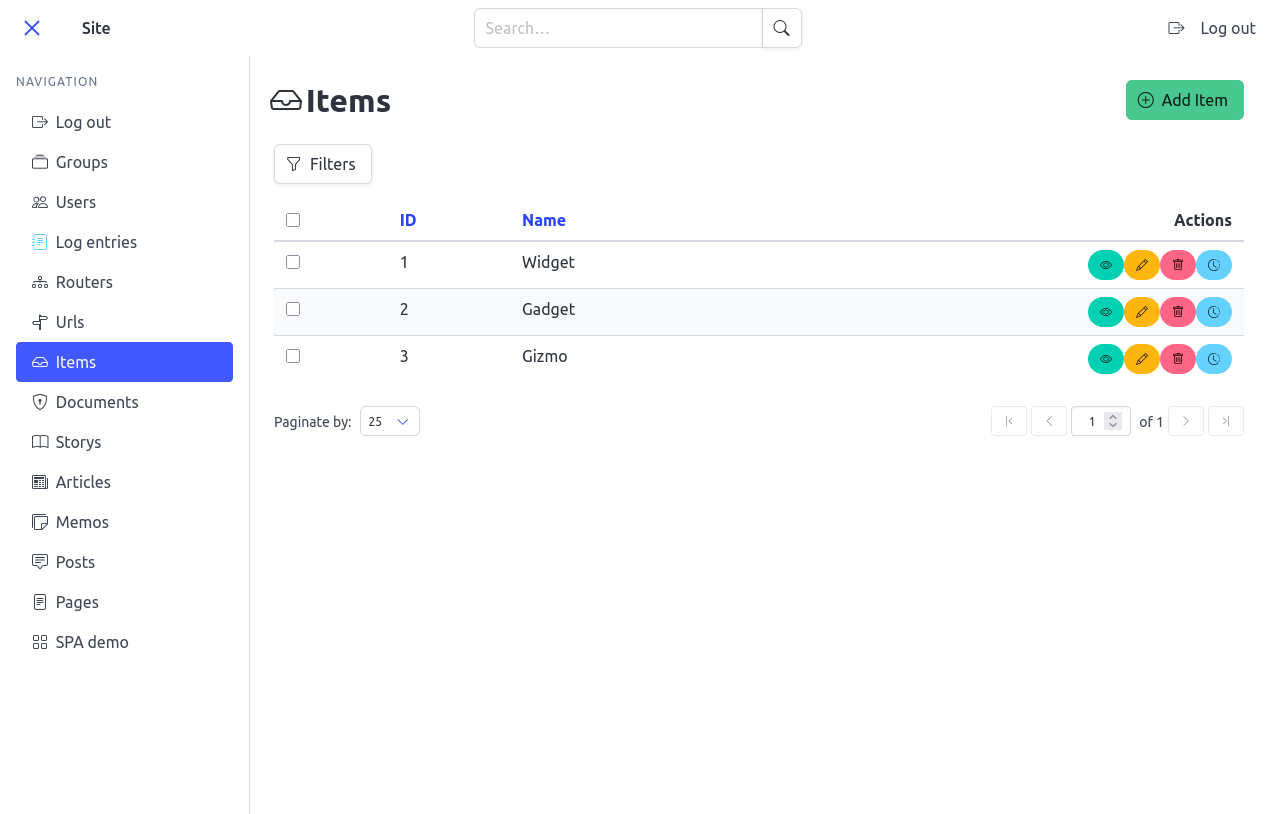
Default list view for the Item model — table, sidebar navigation, and
create action.
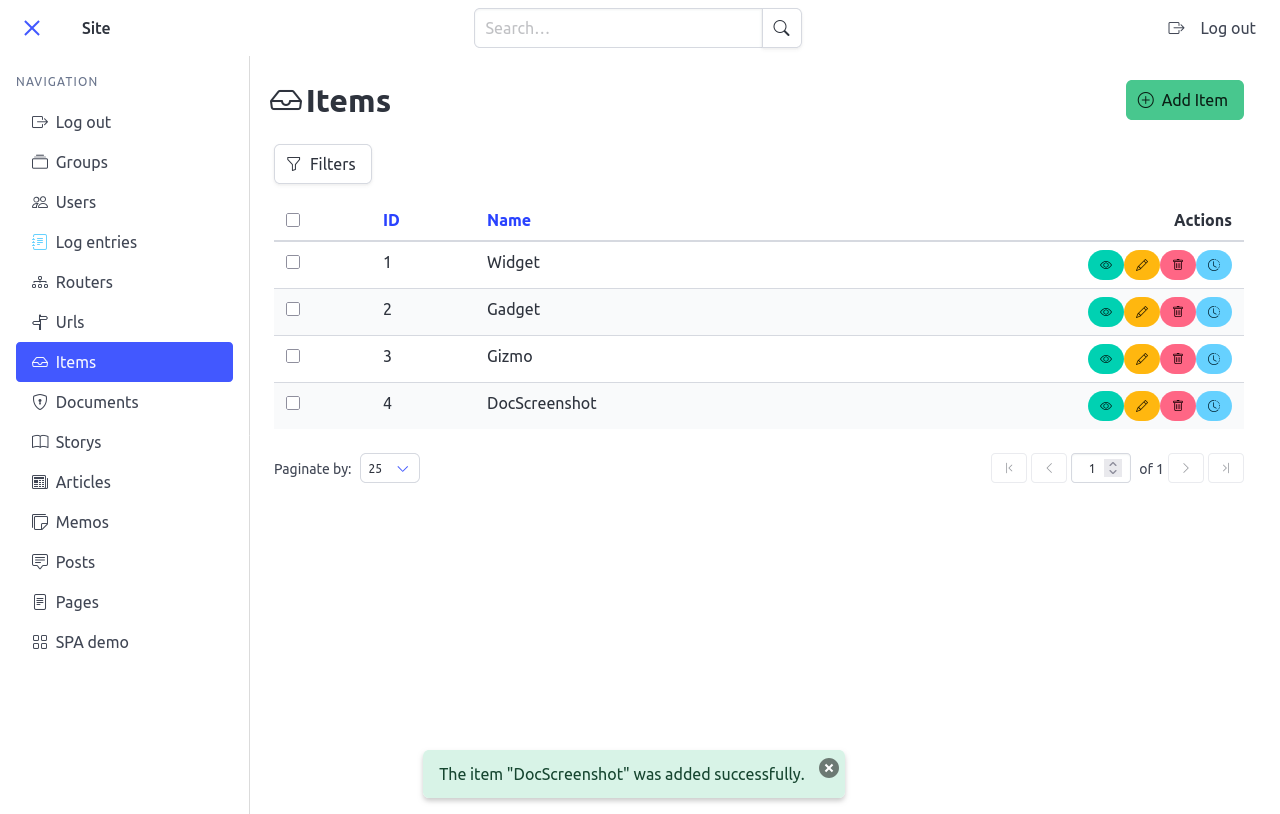
A success toast appears after creating a row.
With djcrud_history in INSTALLED_APPS (see Install djcrud), every
ModelRouter also gets a history view at
http://localhost:8000/item/<pk>/history/ with no extra code in your
djcrud.py.
Select rows on the list to open the built-in bulk-delete action:
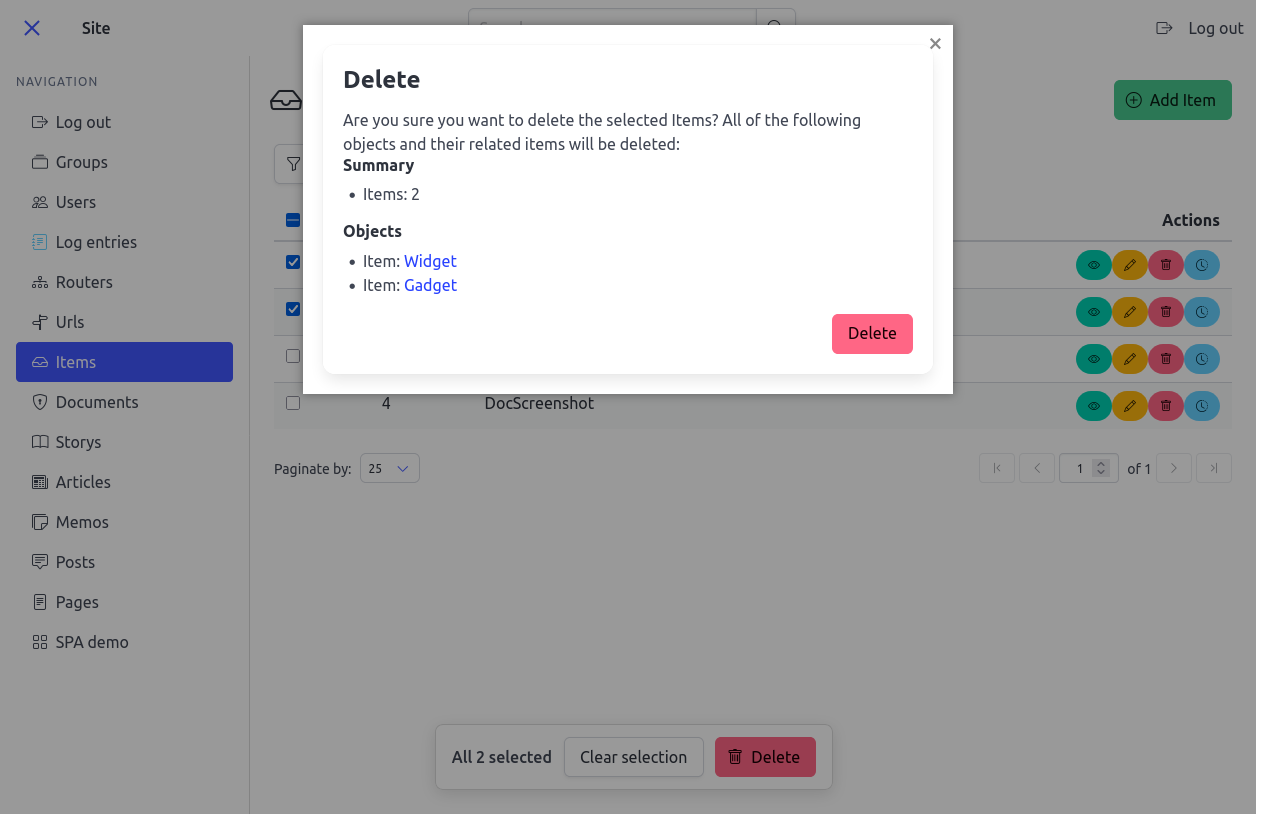
Built-in DeleteObjectsView — registered on
every ModelRouter with no extra code.
Tests
tests/test_routing_example.py on GitHub
Next: Permissions scopes querysets and permissions for multi-user apps.